
This functionality requires the premium add-on.
When you need to specify the default access permissions for all posts of a particular post type, follow these steps:
- Go to the AAM page and switch to the user or role that you need to set the default access.
- Navigate to the “Posts & Terms” tab on the AAM Page.
- On this tab, you’ll see a list of all the registered post types and taxonomies on your site. To set default access controls for a specific post type, locate it in the list and click the blue gear button next to it.
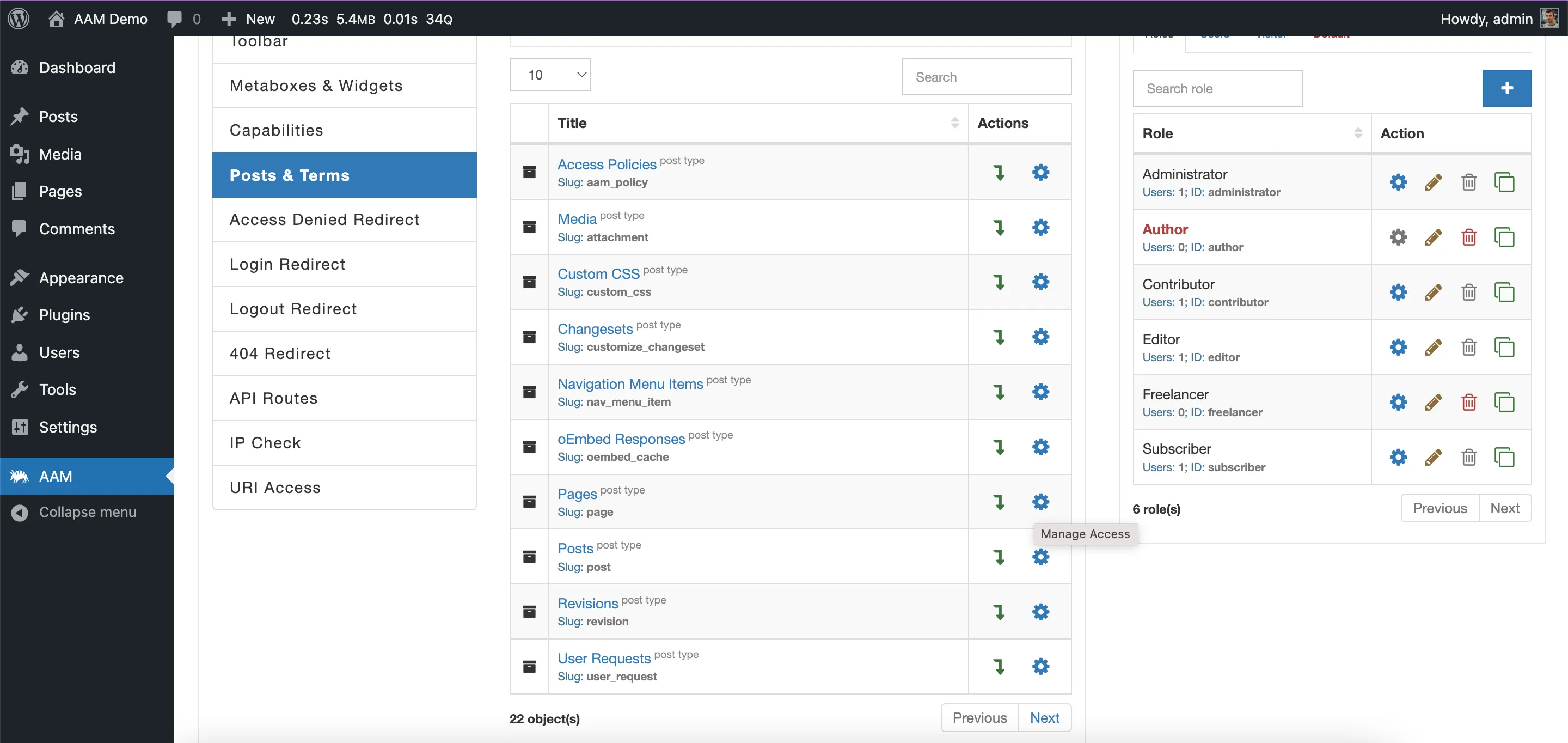
Note! Make sure to identify the post type by its “Slug” as it accurately represents the post type. Multiple custom post types may share the same name (e.g., “Posts”), so be cautious to avoid setting default access controls for the wrong type.
- The form for configuring default access controls for that post type will appear that allows you to define the default access controls to the entire post type.
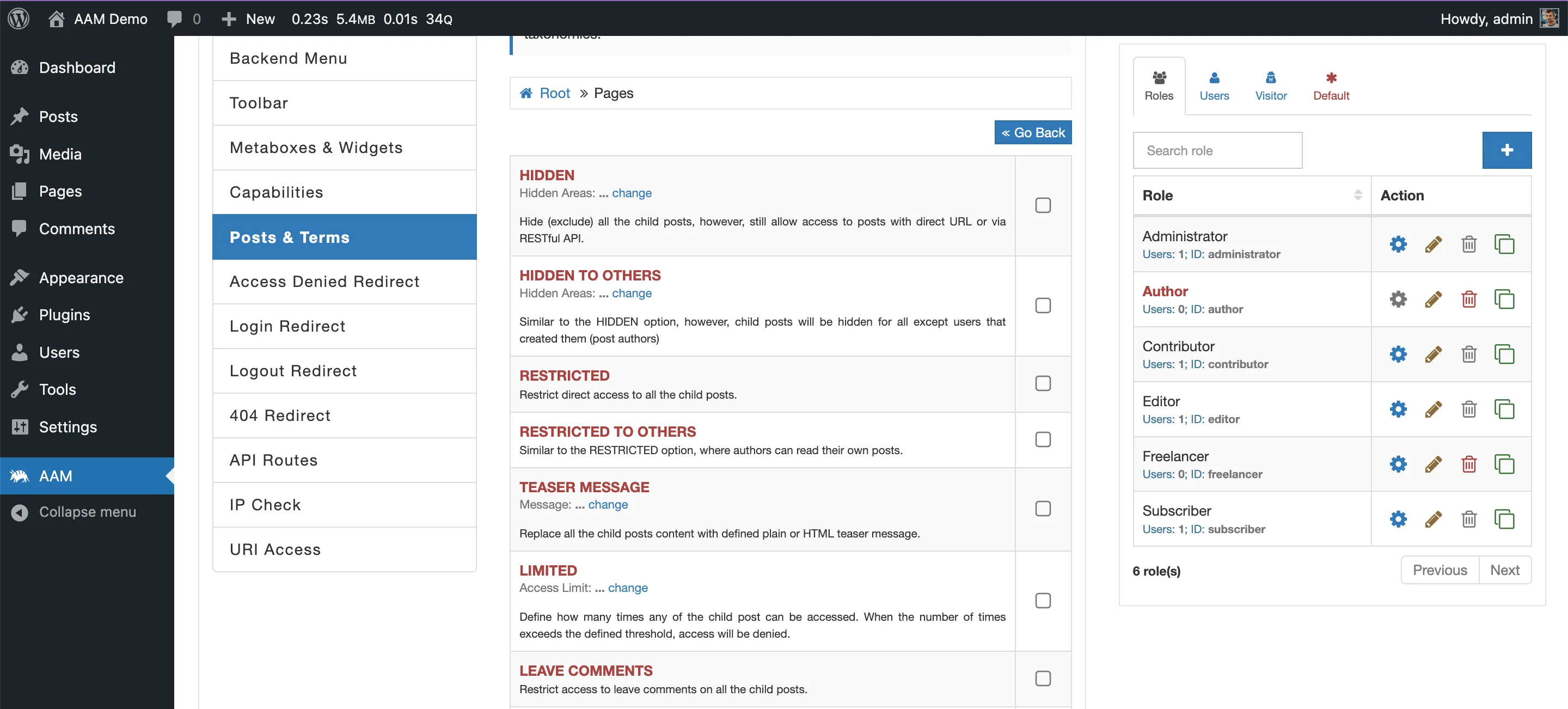
After you’ve defined the default access controls, you can always override them for individual posts or terms by drilling down into the specific post type.