
To prevent users from editing or deleting existing categories and creating new categories, you can revoke their manage_categories WordPress core capability. Custom taxonomies may have a different capability responsible for this action, but it typically starts with the manage_ prefix.
Follow these steps to configure this restriction:
- Navigate to the AAM (Advanced Access Manager) page and switch to the user or role you want to customize access for.
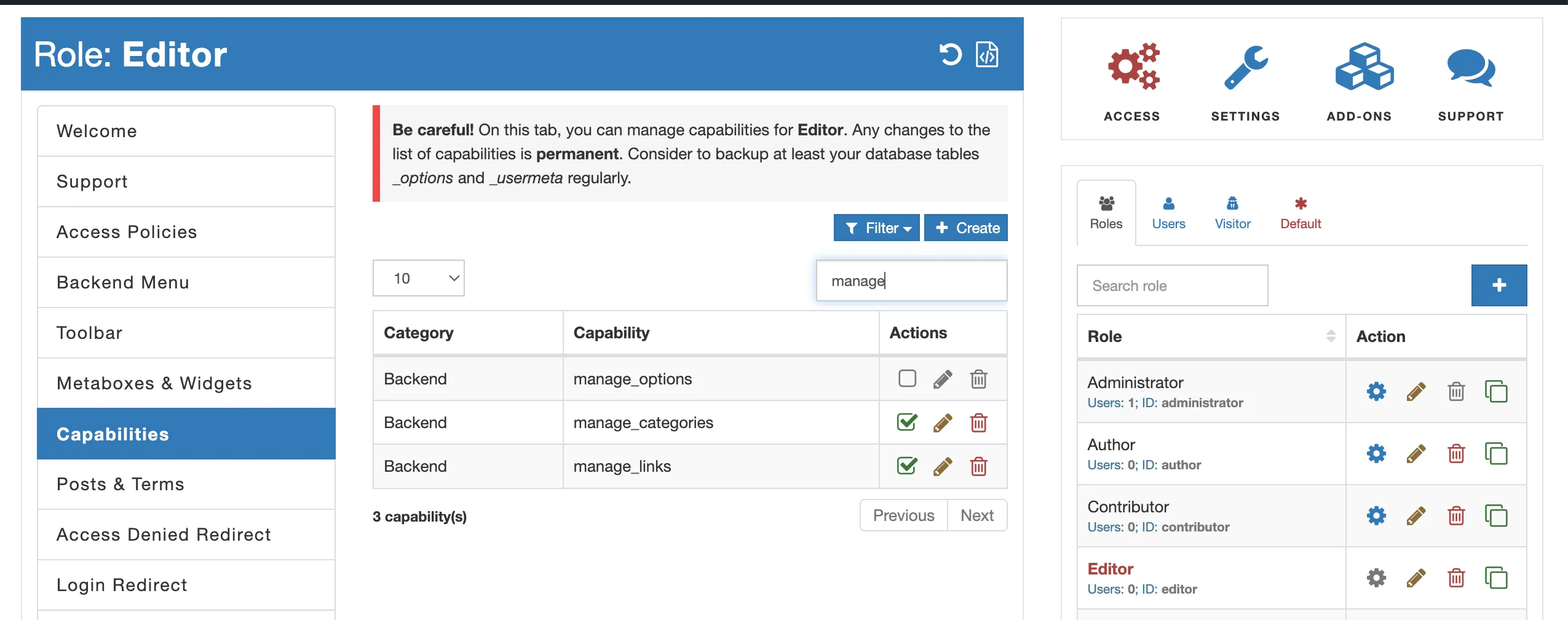
- Go to the “Capabilities” tab within AAM and search for the capability that is responsible for the category-related action. You can start typing “manage_” to find it.
- Uncheck the appropriate capability. For example, uncheck
manage_categoriesto prevent the management of post categories.
Once you’ve completed these steps, the selected user or role will no longer have the ability to manage existing categories or create new ones. However, they will still be able to assign content to existing categories.