
We will explain how to manage access to pages and their sub-pages in WordPress using the premium add-on, which extends the access settings inheritance mechanism. We will also demonstrate how to hide and restrict access to entire branches of pages for all visitors but the similar approach can be applied to any role or individual user
The premium add-on for WordPress allows you to manage access to pages and sub-pages efficiently. If a post type is hierarchical, such as classical pages, the access settings will propagate from a parent page to its sub-pages at any depth.
Common use-case
Let’s consider a common scenario where you want to protect an entire branch of pages and hide them from all visitors. You also need to restrict access to these pages, even if an anonymous user has a direct URL to a protected page.
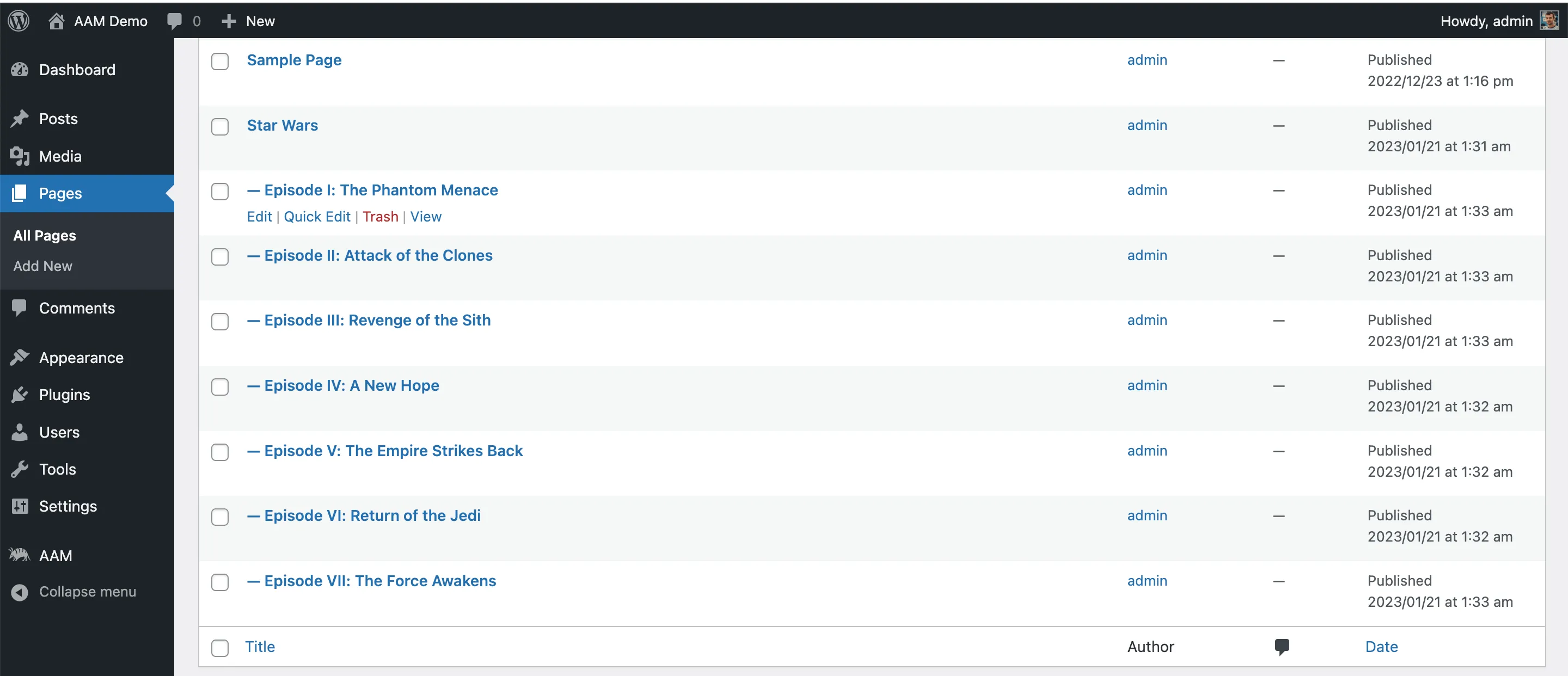
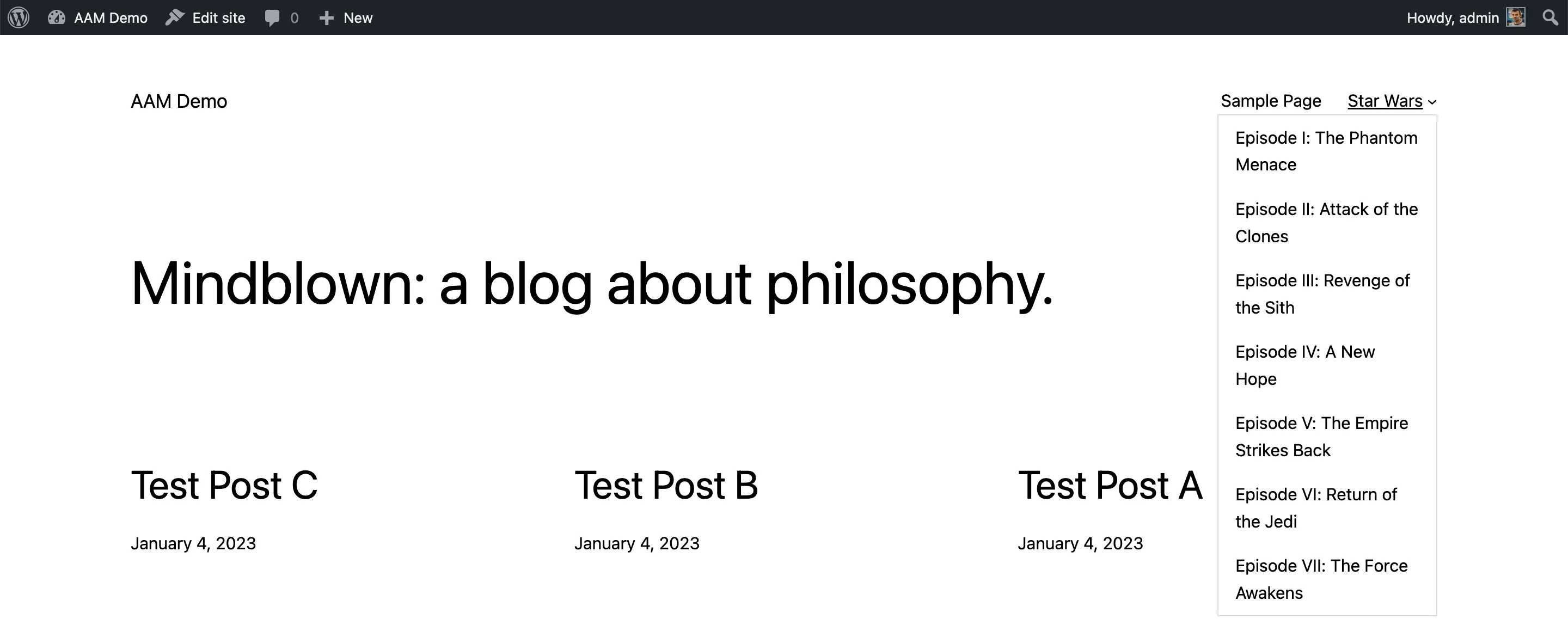
For instance, we’ve created a page called “Star Wars” with several sub-pages, organized within the main menu. Your goal is to hide this entire branch of pages from visitors.
Implementation
Here’s a step-by-step guide on how to implement these access settings:
- Go to the AAM (Advanced Access Manager) page in your WordPress admin panel.
- Switch to managing visitors using the “Users & Roles” widget.
- Navigate the “Posts & Terms” tab, and select “Drill-Down” to the “Pages” post type.
- Locate the specific page you want to manage access for; in our example, it’s the “Star Wars” page.
- Modify the access settings for this page. Select “HIDDEN” for “Frontend” & “RESTful API” areas as well as “RESTRICTED” options.
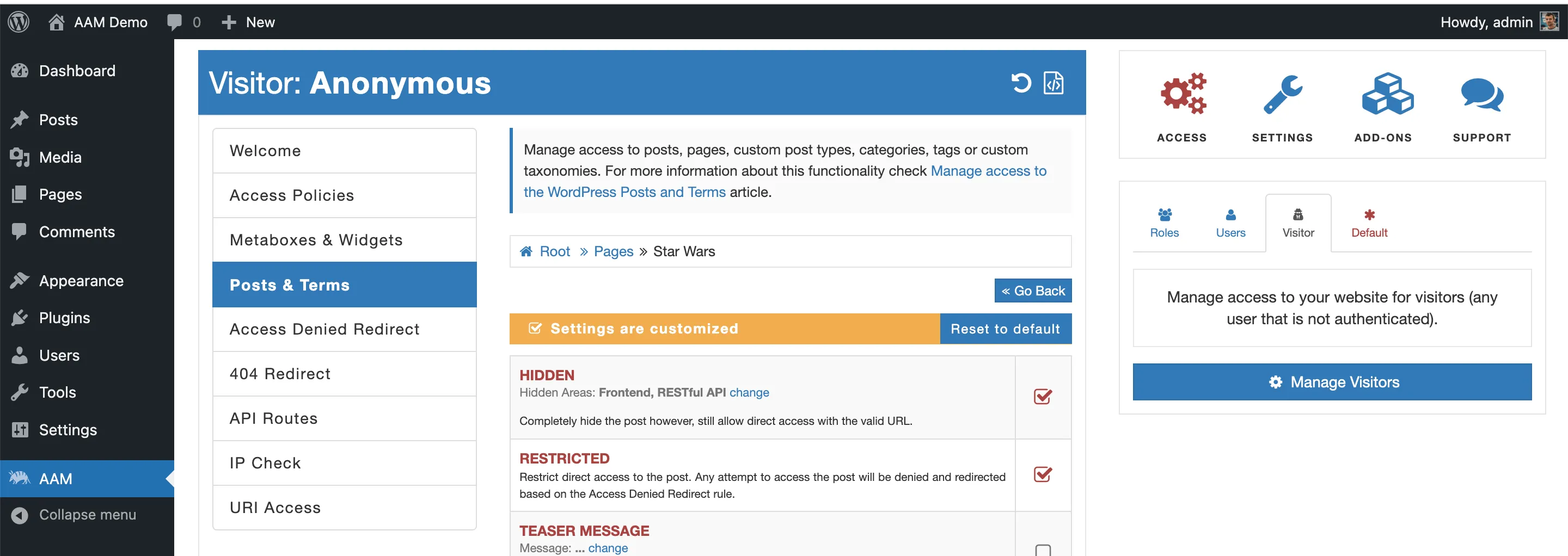
From this point onwards, all sub-pages will inherit these access settings from their parent page. You can have an unlimited number of nested pages, and the access controls will apply consistently throughout the hierarchy.