
This functionality require premium Complete Package. To begin, let’s clarify some terminology. Throughout this guide, the word term is used interchangeably with words like categories, tags, or custom taxonomies.
When you have distinct group of content writes and you want each group to be able to create content only in a specific category, follow these steps.
Determine terms visibility
Decide whether you want your content writes to see and select all available terms or only specific ones. If you choose to show all terms then skip this part. Otherwise, you need to hide all terms by default and then only show a few selected:
- On the “Posts & Terms” tab, find the taxonomy that represents your categories or tags.
- Select “Manage Access” blue gear icon.
- On the displayed form select “HIDDEN” option and then hide them on the “Backend” & “RESTful API” areas.
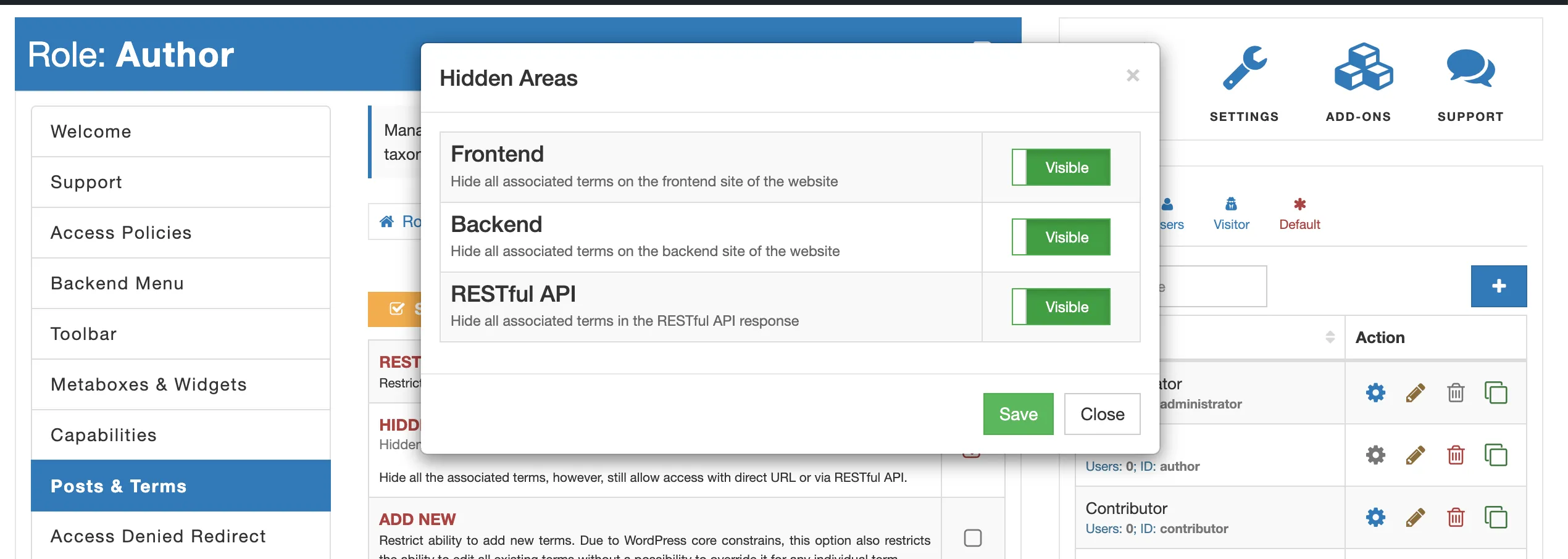
- Go back to the list of all post types and taxonomies and select “Drill-Down” for that specific taxonomy.
- Find a term that you want to show to your user and select “Manage Access”.
- On the displayed form unselect “HIDDEN” option.
- Repeat last two steps for each term you want to give access to.
Redefine the default term(s)
To set default terms that will be pre-selected for newly created posts or posts saved without selected terms, follow these steps:
- Go to the “Posts & Terms” tab.
- Select the post type for which you want to redefine default terms (e.g., “Posts”).
- Notice the “pin” button next to each term. Select this button to set a term as default.
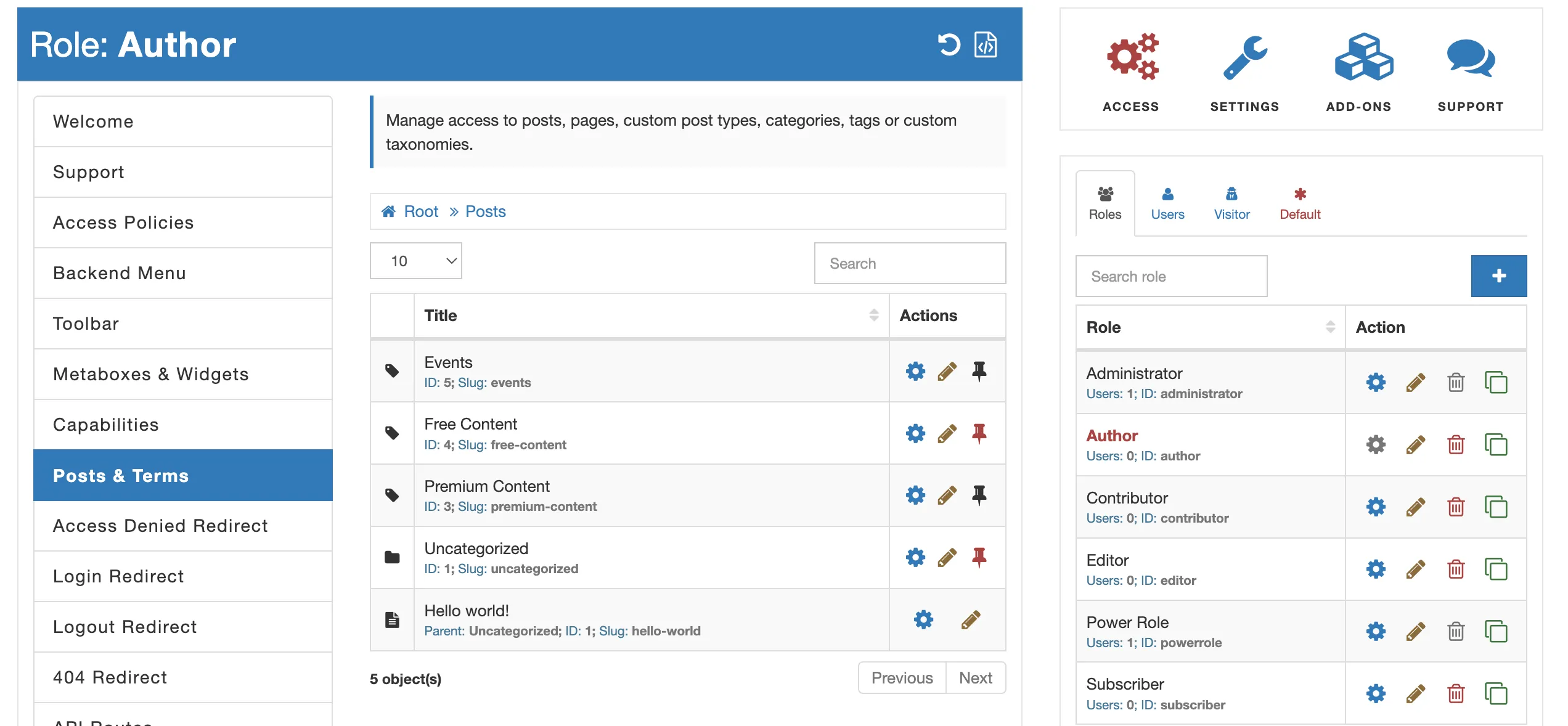
With these settings, any newly created post by a write will automatically have the pre-selected default terms.