

Widget
Syntax
Widget:<slug>Widget:* - Premium FeatureWidget:<slug_with_mask> - Premium Feature
Note!
The slug_with_mask is essentially partially defined widget slug. For instance, you can target all widgets that end, start or contain specific slug (e.g. wp_dashboard_* targets all widgets that start with wp_dashboard_).
Definition
A Widget is similar to Metabox resource. The difference is that widgets are rendered on the frontend or the backend "Dashboard" page. They identify by their unique slug that you can find on the "Widgets" tab.
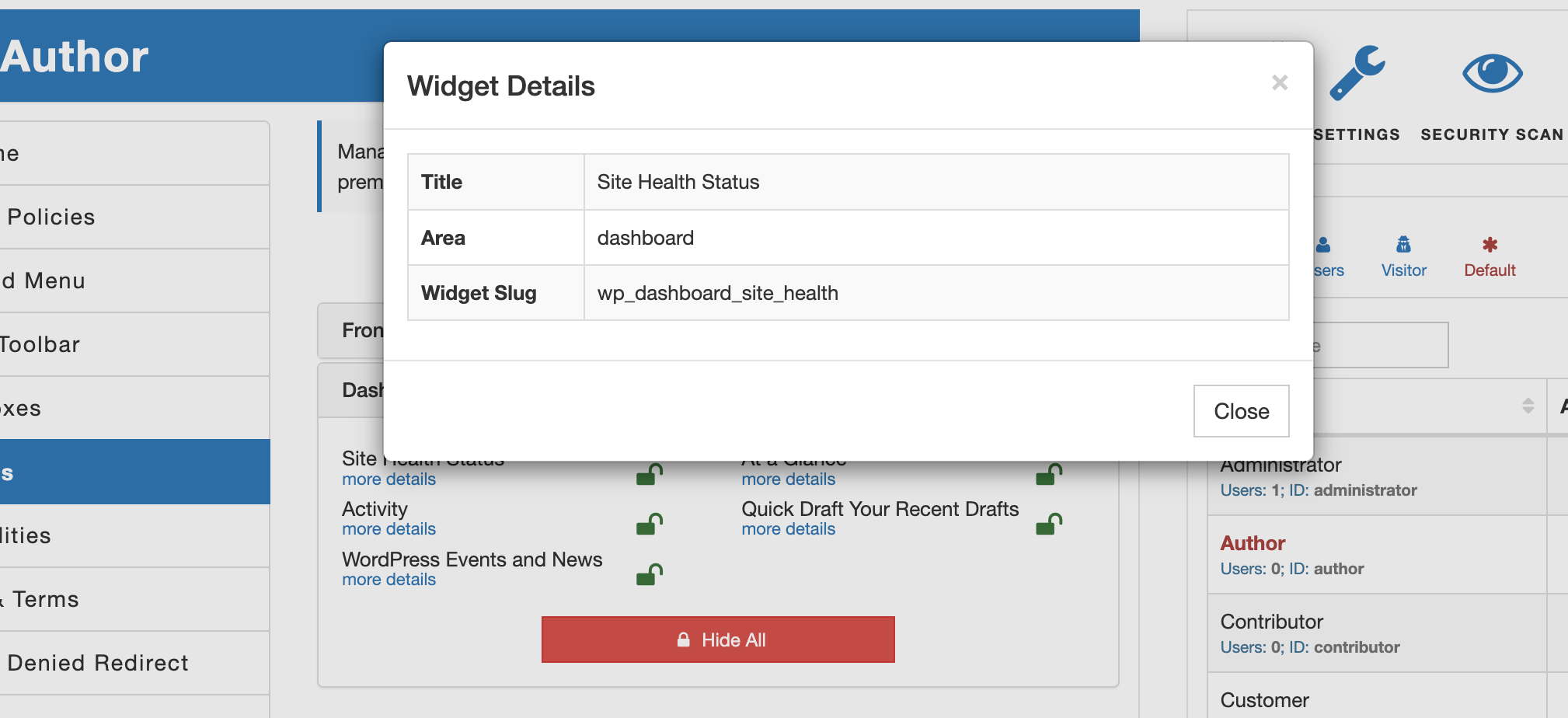
Note!
AAM only filters out widgets that are not allowed. It does not take into consideration the functionality that facilitates those widgets. Any user may reverse engineer how your website is set up and submit data that hidden widgets collect.
Below is an example of the statement that removes the "Search "widget from the frontend sidebar if a user is authenticated and the email account is not registered with Gmail or Yahoo.
{
    "Statement": {
        "Effect": "deny",
        "Resource": "Widget:wp_widget_search",
        "Condition": {
            "Equals": {
                "(*bool)${USER.isAuthenticated}": true
            },
            "NotLike": {
                "${USER.user_email}": [
                    "*@gmail.com",
                    "*@yahoo.com"
                ]
            }
        }
    }
}
The premium add-on adds the ability to use the wildcard * denotation to target all widgets. For example, the statement below restricts access to all the widgets on the backend "Dashboard" page.
{
    "Statement": [
        {
            "Effect": "deny",
            "Resource": "Widget:*"
        }
    ]
}
You can also be specific with area to which the wildcard is applied with Area property. This way you can hide all widgets on either frontend or dashboard areas. For instance, the following policy hides all the widgets on the Dashboard page except the "At a Glance" widget.
{
    "Statement": [
        {
            "Effect": "deny",
            "Resource": "Widget:*",
            "Area": "dashboard"
        },
        {
            "Effect": "allow",
            "Resource": "Widget:wp_dashboard_right_now"
        }
    ]
}
Precedence & Order of Evaluation
There are several ways to define a Widget resource. Below, we explain them in detail, ordered from highest to lowest precedence — meaning that higher-precedence widget access controls always override lower-precedence rules.
1. Widget slug scoped to a specific area (Highest precedence)
The first and highest-priority resource checked is a widget slug combined with a specific area. Any rule defined at this level overrides all other matching access controls.
For example, the following statement overrides any other policy affecting the same widget:
{
    "Effect": "deny",
    "Resource": "Widget:wp_dashboard_right_now",
    "Area": "dashboard"
}
2. Widget slug without area
The next level applies to a widget globally, without restricting it to a specific area. The rule affects the widget everywhere unless a more specific area-scoped rule exists.
In the example below, the Statistics widget is denied on all areas except the Frontend screen:
{
    "Statement": [
        {
            "Effect": "deny",
            "Resource": "Widget:widget_statistics"
        },
        {
            "Effect": "allow",
            "Resource": "Widget:widget_statistics",
            "Area": "frontend"
        }
    ]
}
3. Wildcard widget slug scoped to a specific area
Next in precedence are wildcard matches applied to a specific area.
The following policy removes all widgets ending with stats, except the Summary widget, on the dashboard:
{
    "Statement": [
        {
            "Effect": "deny",
            "Resource": "Widget:*_stats"
        },
        {
            "Effect": "allow",
            "Resource": "Widget:widget_summary_stats",
            "Area": "dashboard"
        }
    ]
}
4. Wildcard widget slug without area scope
This level applies wildcard matching globally across all areas.
The policy below removes all widgets whose slugs start with widget_:
{
    "Statement": [
        {
            "Effect": "deny",
            "Resource": "Widget:widget_*"
        }
    ]
}
5. All widgets for a specific area
Targets every widget on a specific area:
{
    "Statement": [
        {
            "Effect": "deny",
            "Resource": "Widget:*",
            "Area": "frontend"
        }
    ]
}
6. All widgets across all areas (explicit form)
Targets all widgets on every screen:
{
    "Statement": [
        {
            "Effect": "deny",
            "Resource": "Widget:*",
            "Area": "*"
        }
    ]
}
7. All widgets (shorthand alias)
This is a shorter equivalent of the previous definition:
{
    "Statement": [
        {
            "Effect": "deny",
            "Resource": "Widget:*"
        }
    ]
}
 Virtual Assistant